The tour and tips
Tesria introduces itself in two ways. The tour is five short screens the first time you sign in, each with a short moving picture, covering the ideas the rest of Tesria is built on. Tips come later, one at a time, as you use Tesria: small cards that point out something useful at the moment it would help.
Both are there to help you, not to get in the way. You can skip the tour, turn tips off, and ask for either again at any time.
The tour
It opens the first time you sign in. Its five screens are:
Spaces and pages: how Tesria is organized.
Writing: creating a page, and drafts.
Working together: editing at the same time, comments and mentions.
Finding things: search and labels.
You: your profile, and where tips are turned off.
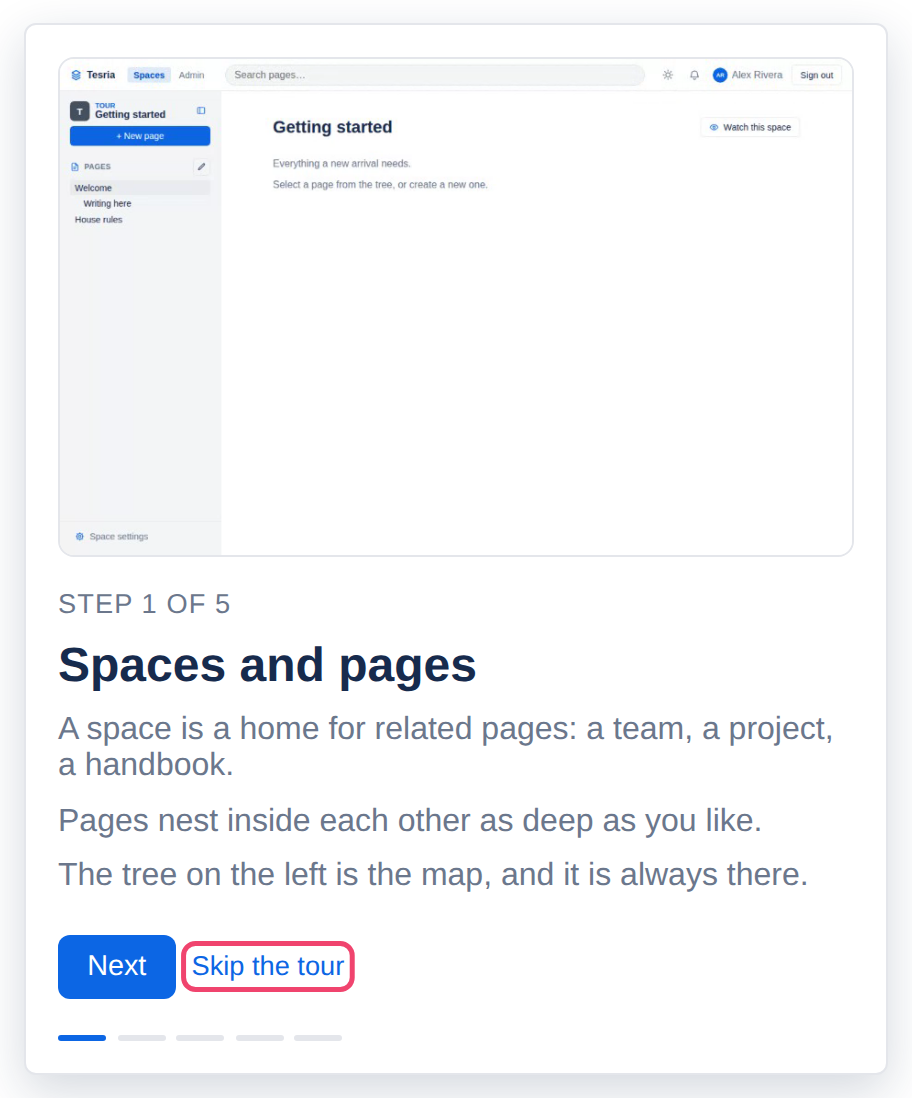
Next and Back move through it, and Done on the last screen finishes it. Skip the tour ends it at once. Closing the tab, or leaving it any other way, counts as skipping, so it does not come back by itself.
On the last screen, Show me tips as I go is ticked. Leave it ticked to get tips, or untick it before you choose Done if you would rather not.
Tips
A tip is a small card near the bottom of the screen, such as Type / for anything in the editor, or Drag pages to rearrange them once a space has a few pages. Many have a short moving picture showing how.
Tips are deliberately rare:
One at a time, at most three a day, and each one only once.
Never over a dialog or an open menu, and never while you are selecting text in the editor.
Only about something on the screen in front of you.
Each tip has two buttons. Got it puts that tip away for good. Turn off tips stops them all; for a few seconds afterwards, Undo turns them back on if you did not mean it.
Changing your mind
Your profile has a Tour and tips card with everything in one place:
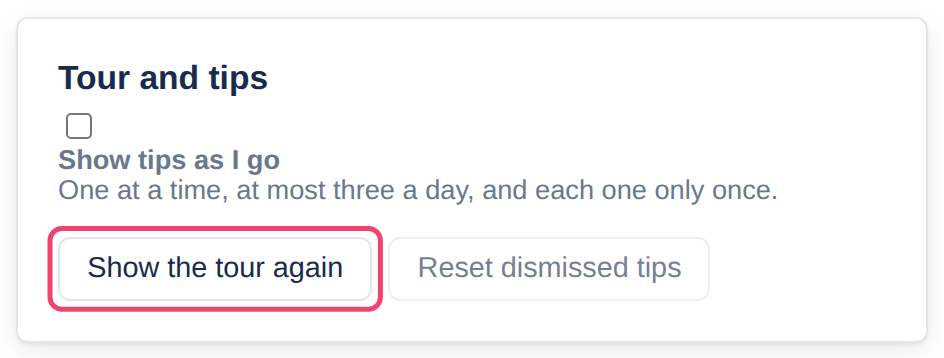
Show tips as I go turns tips on or off.
Show the tour again opens the tour now.
Reset dismissed tips brings back the tips you put away with Got it. The number beside it says how many there are.
Applies to | Tesria 0.5 and later |
|---|---|
Updated | September 24, 2026 |
Changes | Written for Tesria 0.5. |