Sessions
A session is one browser, on one device, that is signed in to your account. The Sessions card lists every one, so you can see where you are signed in and sign out anywhere you should not be: a phone you lost, or a shared computer you forgot to sign out of.
To get there, open your profile (your picture or initials at the top right of any page) and scroll to its Sessions card.
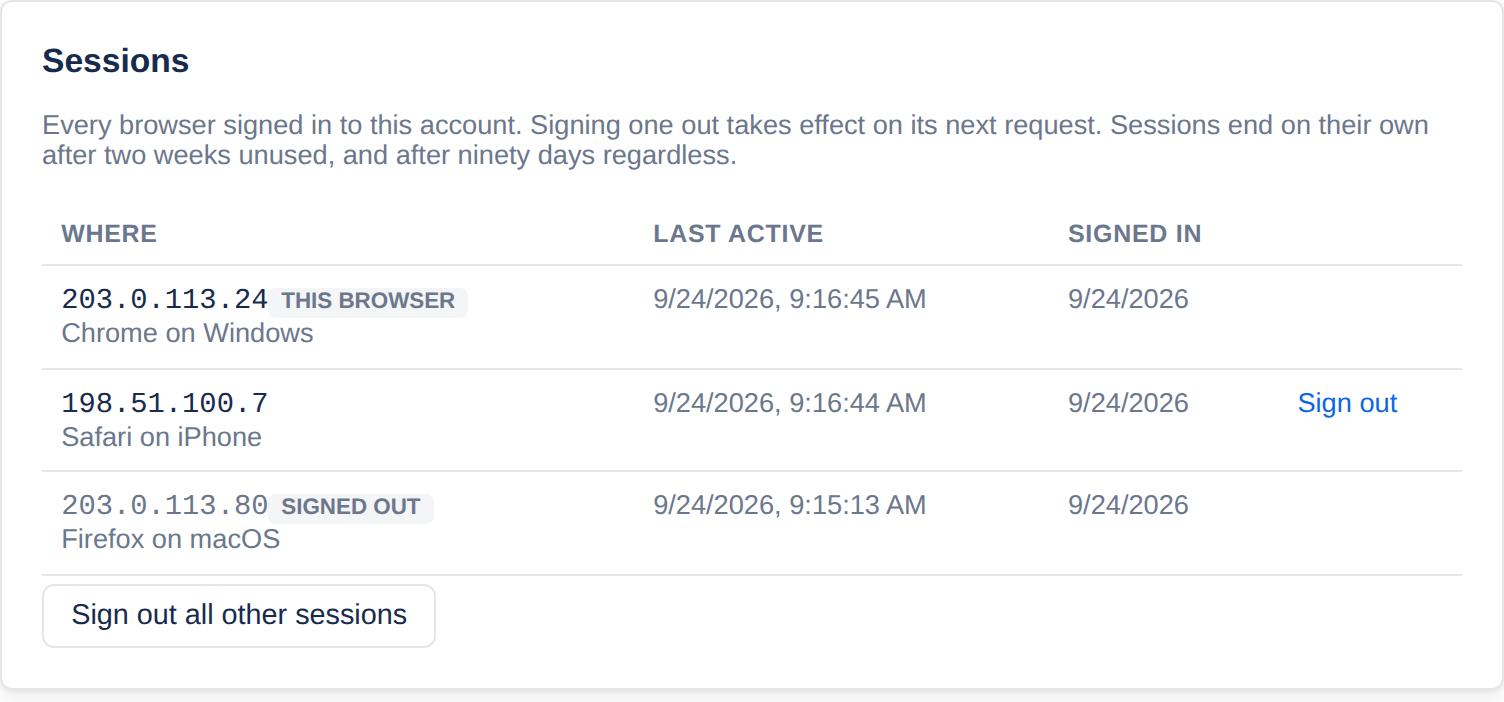
Each row shows the network address it signed in from, the browser and system (such as Safari on iOS), when it was last active, and when it signed in. The one you are using is marked this browser.
Sign out beside a session ends it. That browser is signed out the next time it does anything.
Sign out all other sessions ends every session but the one you are using.
When sessions end by themselves
After two weeks without being used.
Ninety days after signing in, however much it is used.
When you change your password, or turn two-factor sign-in on or off: every other session is signed out.
Applies to | Tesria 0.5 and later |
|---|---|
Updated | September 24, 2026 |
Changes | Revised. |