Label pages
A label is a word you attach to a page, such as meeting-notes or onboarding, to group it with others on the same subject. Spaces divide pages by who owns them; labels cut across them. The pages with a label, and the list of every label, are each a page of their own. To add labels to a page, see Labels.
Every page with a label
Click a label under any page’s title. Tesria lists every page carrying it, from every space you can see, sorted by title, each with the key of its space.
Every label
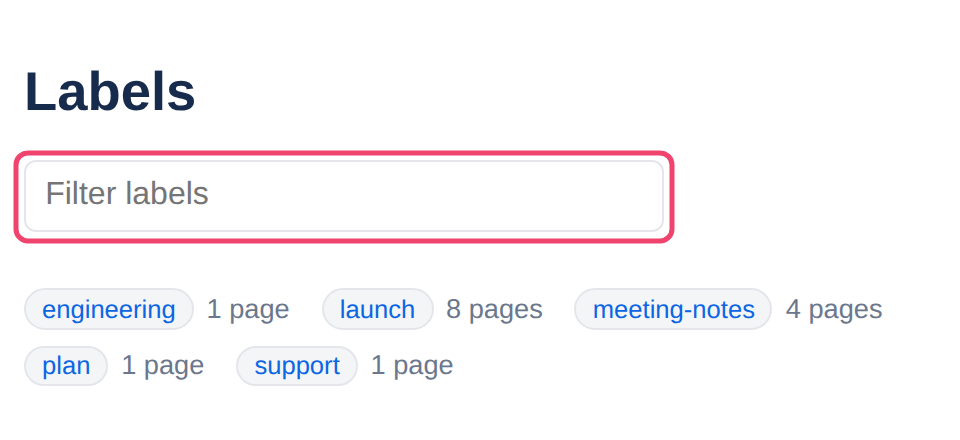
At the top of a label’s page, All labels lists every label in use, in alphabetical order, with how many pages you can see carry it. With many labels, type into Filter labels to narrow the list; click one to see its pages.
Labels are always in lower case, so Launch and launch are the same label.
Keeping a list on a page
To show pages with a label inside a page, such as every meeting note on a project’s home page, use the Content by label live content block. The list stays up to date as pages are labeled. Labels list shows the labels themselves, such as the most used ones in a space.
Applies to | Tesria 0.5 and later |
|---|---|
Updated | September 24, 2026 |
Changes | Revised. |