Attachments
An attachment is a file kept with a page: a spreadsheet, a PDF, a picture, a recording. The Attachments tab below a page lists them all. Pictures you paste or drop into the editor are attachments too, and appear here as well.
Adding a file
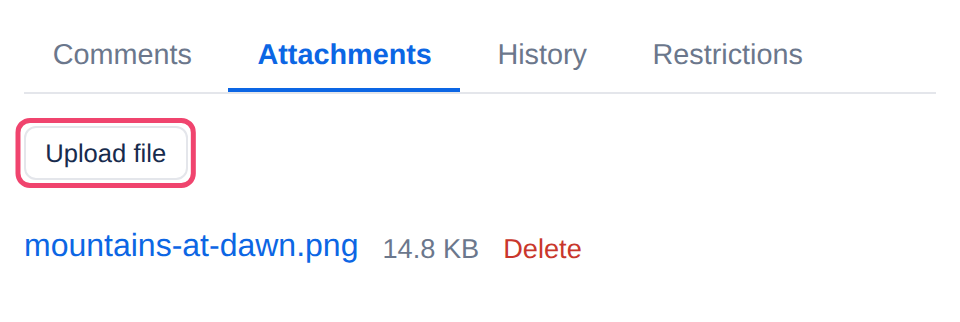
Step 1: Open the Attachments tab
It is below the page, beside Comments.
Step 2: Choose Upload file
Pick the file. It can be of any type, up to 25 MB, one file at a time.
To show a file inside the page, rather than only in the list, use the File or video element.
Opening and deleting files
Choose a file’s name to download it.
Delete removes the file, after asking. Anywhere the page shows it stops showing it. Unlike a page, a deleted file does not go to the trash, so this cannot be undone.
Uploading and deleting need edit rights on the page. Anyone who can read the page can download its files, and nobody else can, even with the file’s address.
Copying a page copies its files too, so the copy does not depend on the original. See Moving and copying pages.
Applies to | Tesria 0.5 and later |
|---|---|
Updated | September 24, 2026 |
Changes | Revised. |