The editor on a phone
The editor on a phone is the full editor: every element, every kind of formatting, tables and live content. Only the toolbar is different. The row of buttons a computer shows would not fit, so it folds into two menus, beside Publish (or Update) and Close.
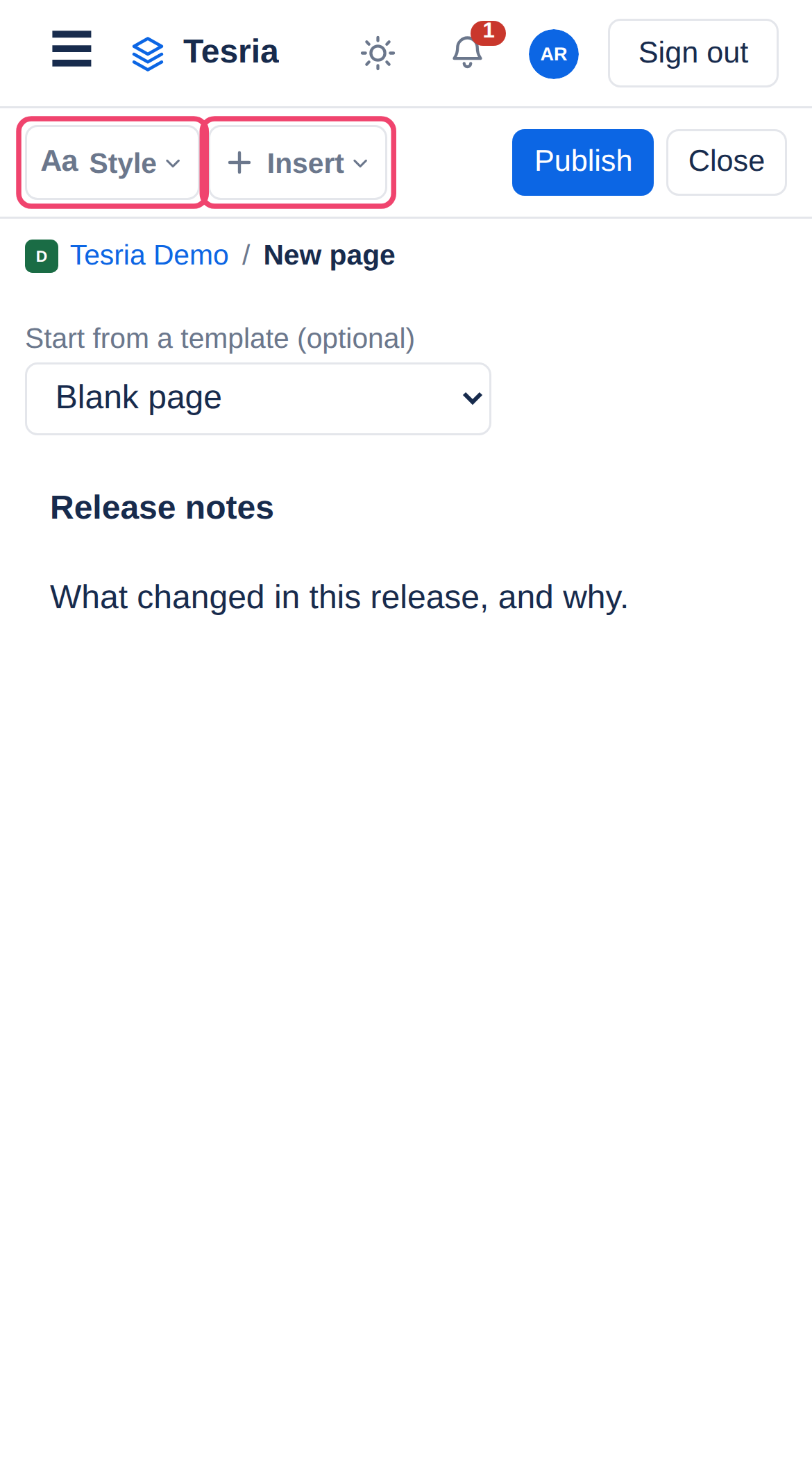
Menu | Holds |
|---|---|
Aa Style | Normal text, headings, and all formatting |
+ Insert | Every element, as in the slash menu |
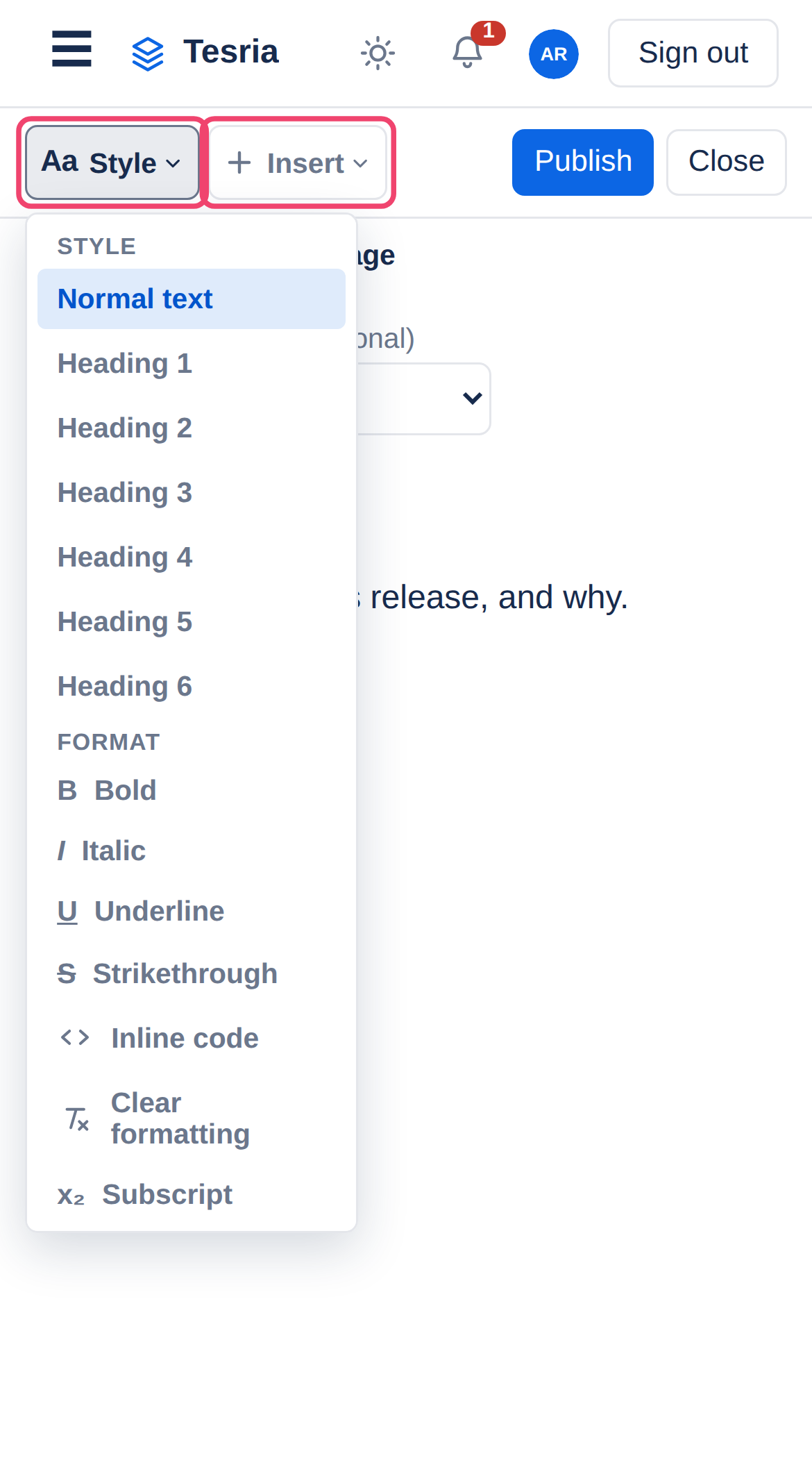
Aa Style
At the top, Normal text and the six heading sizes. Below them, every formatting control from the computer’s toolbar: bold, italic and the rest under Format, both color palettes under Color, and lists, indentation and alignment under Paragraph.
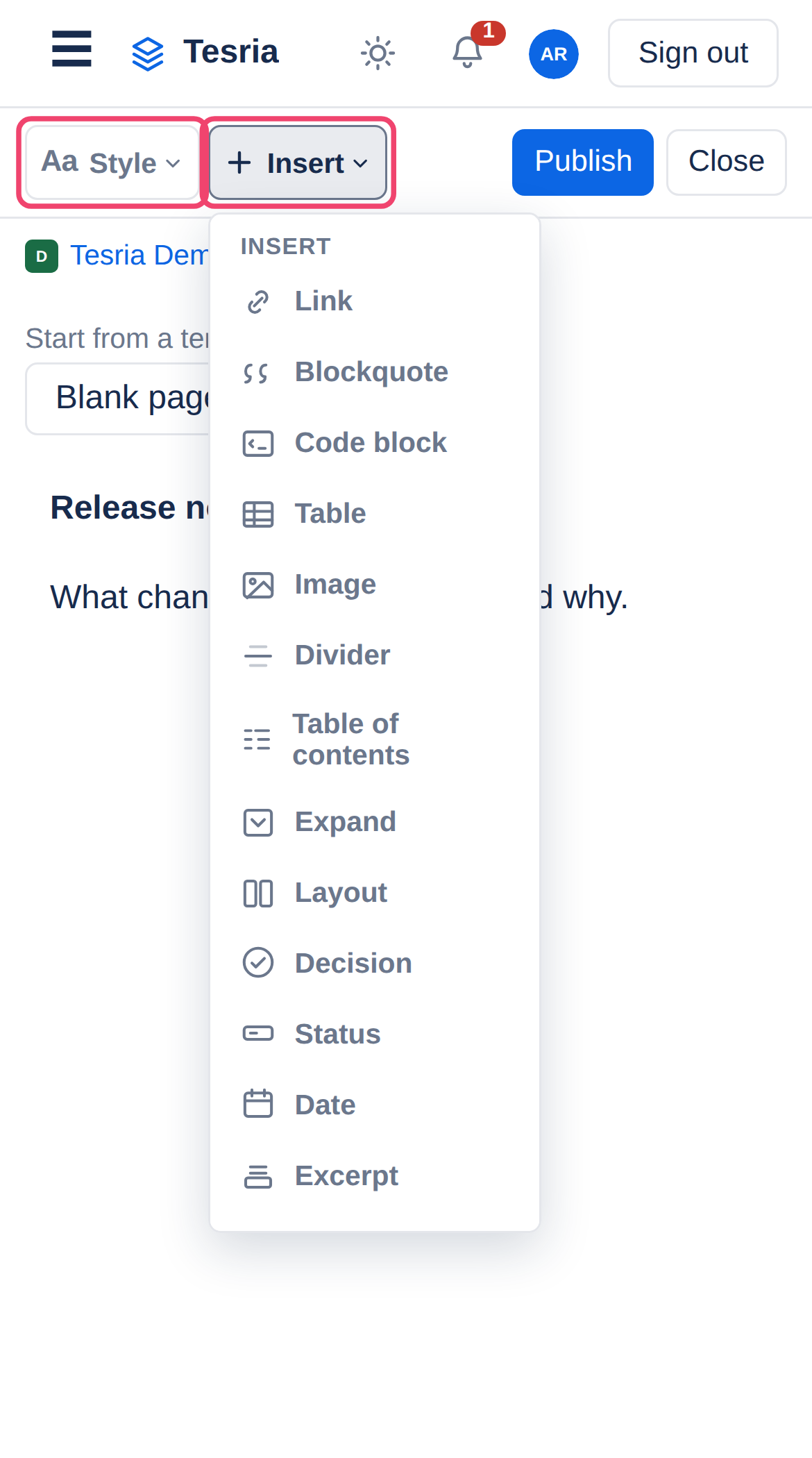
+ Insert
Everything you can add to a page: tables, panels, pictures, code, dates, and every live content block. It is the same list as the slash menu.
Good to know
Typing / opens the slash menu, as on a computer. It is often quicker than + Insert: type
/tableand tap the match.Formatting lands where your cursor was. Opening a menu does not lose your place, so a heading choice changes the line you were on.
Enter in the title moves to the page’s text; it does not publish the page.
Tapping a link in the editor shows its address, with Edit and Remove, instead of following it. On a published page, tapping a link follows it.
Columns in a layout stack one above the other, so each stays readable.
Applies to | Tesria 0.5 and later |
|---|---|
Updated | September 24, 2026 |
Changes | Written for Tesria 0.5. |